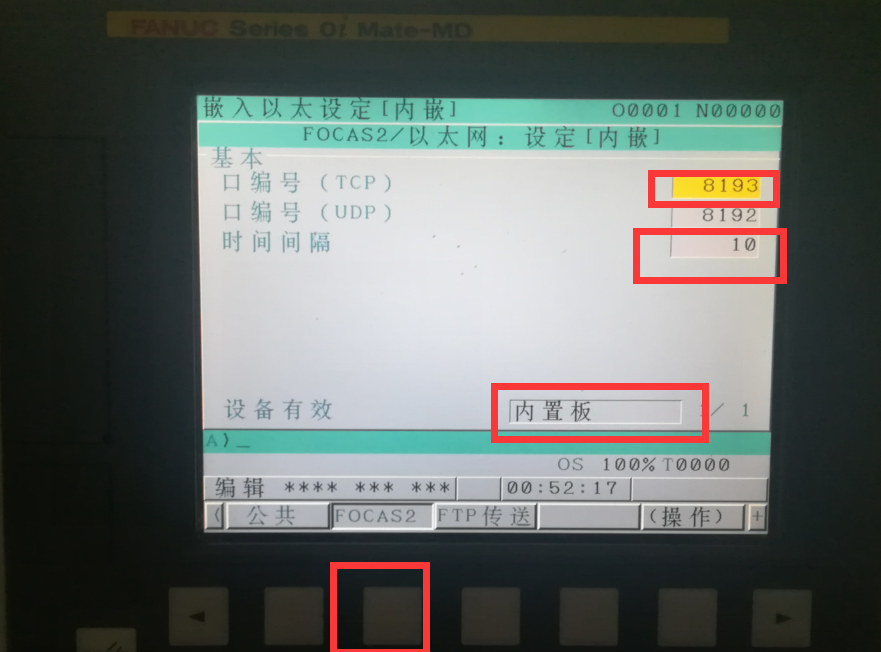

Setting the IP Address and FOCAS Port on a FANUC CNC
The following steps use a 0i-MF as an example:
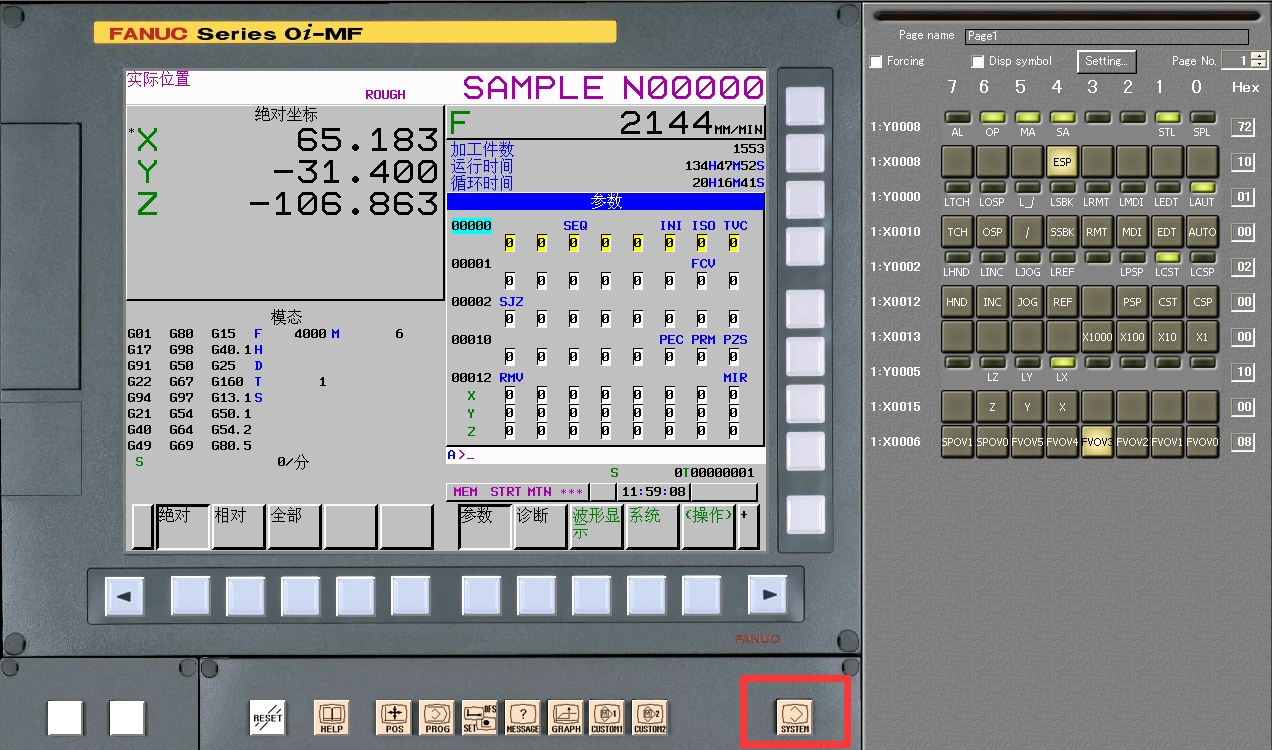
1. Press the system key on the main panel to open the system screen
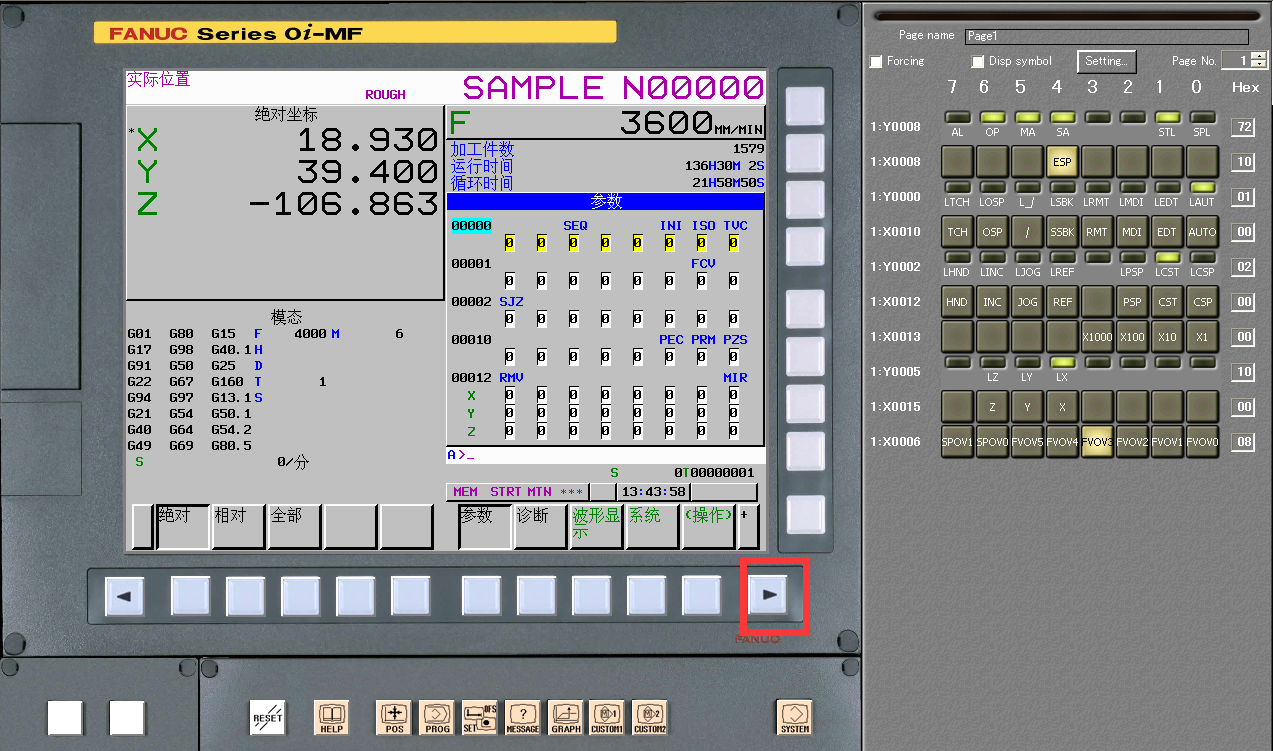
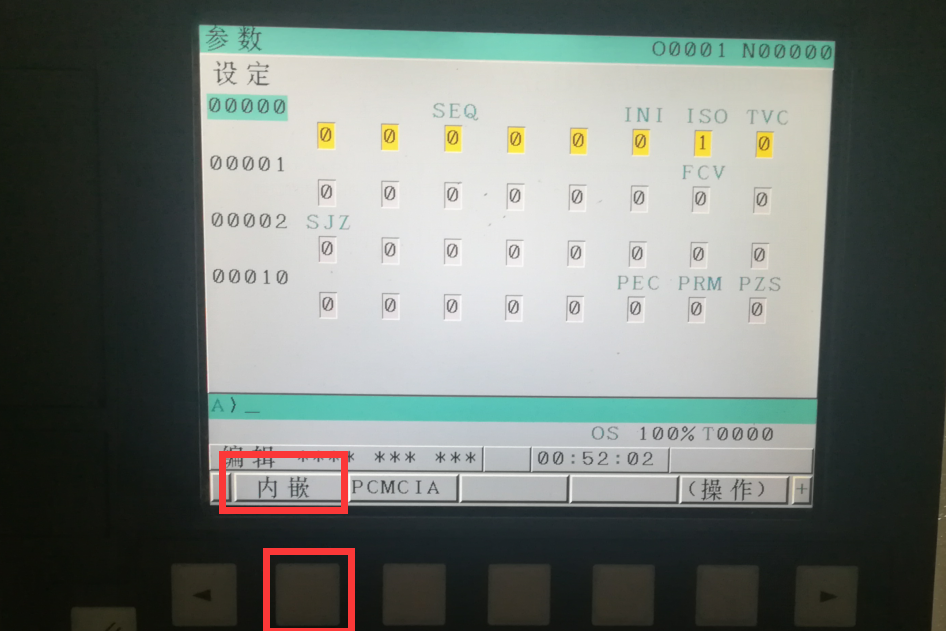
2. Press the right page key to reach the Embedded option; press Embedded to open the IP settings and set the IP address
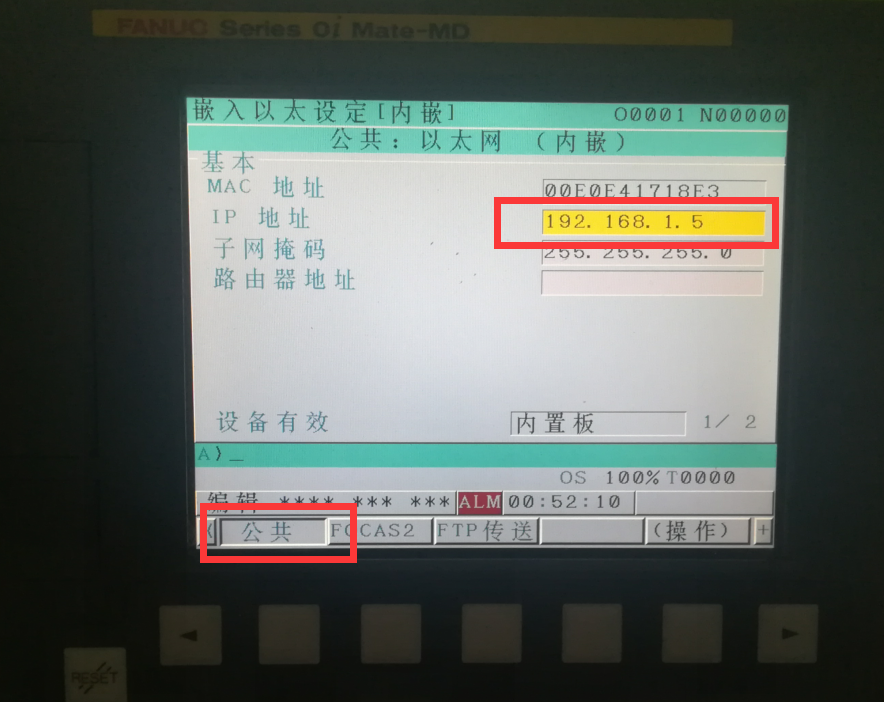
3. Press Focas2 to open the port and timeout settings. Set the port number and timeout, then restart the machine.
Note: The device works in Built-in Board mode. If PCMCIA mode is displayed, press Operation to switch to Built-in Board mode.