
Setting the IP Address on a KND CNC
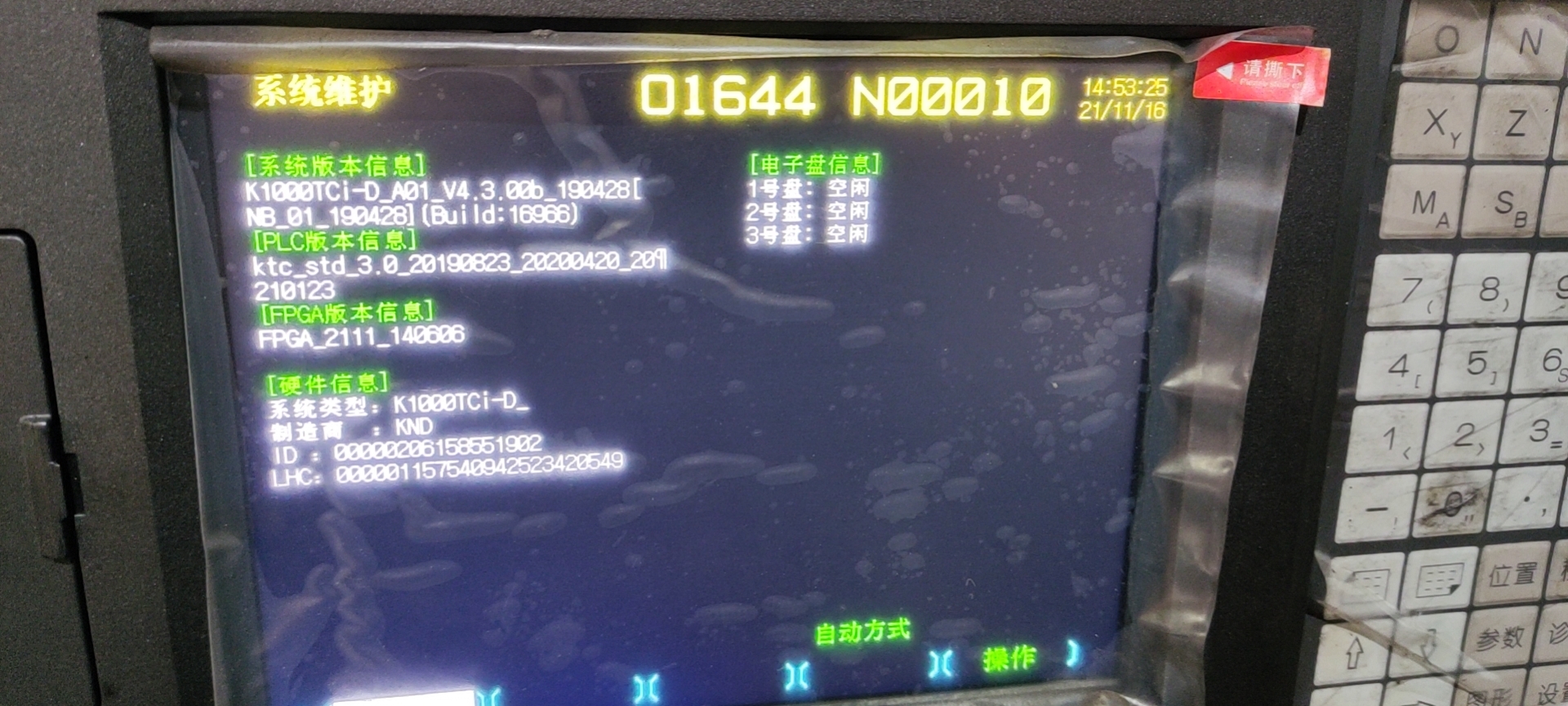
- Confirm that the machine controller version is at least 4.3.
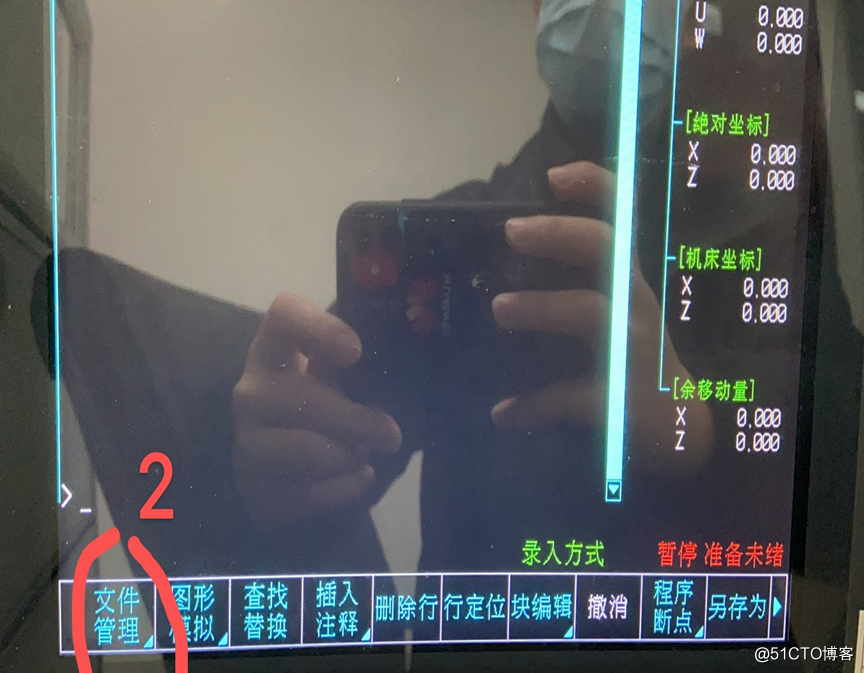
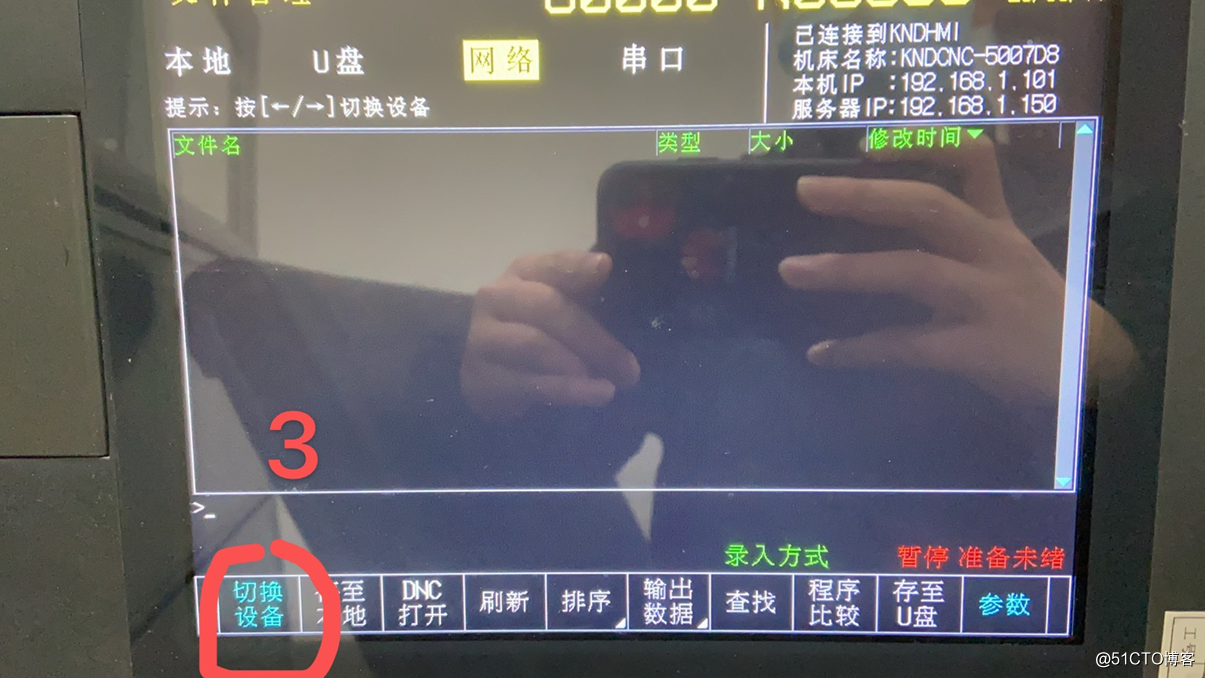
- Find the IP settings screen:
[Program] > [File Management] > [Switch Device] (twice) > [Switch Right] (twice) > [Parameters].
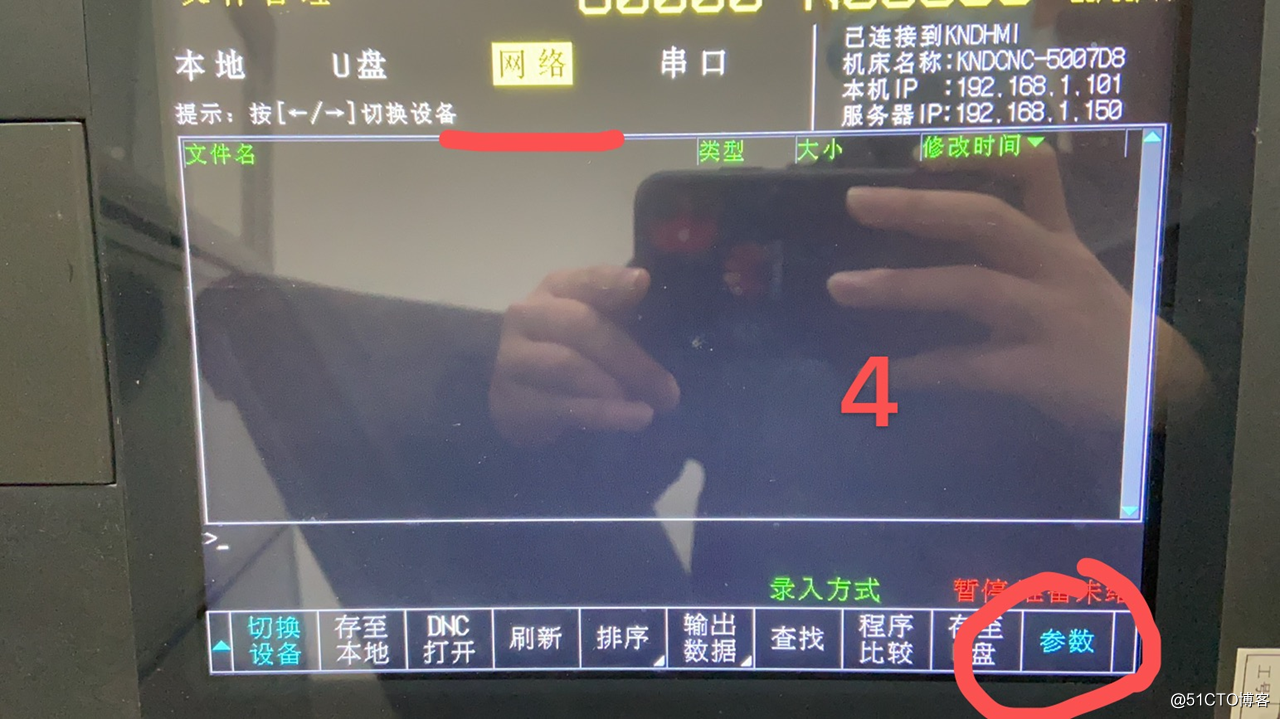
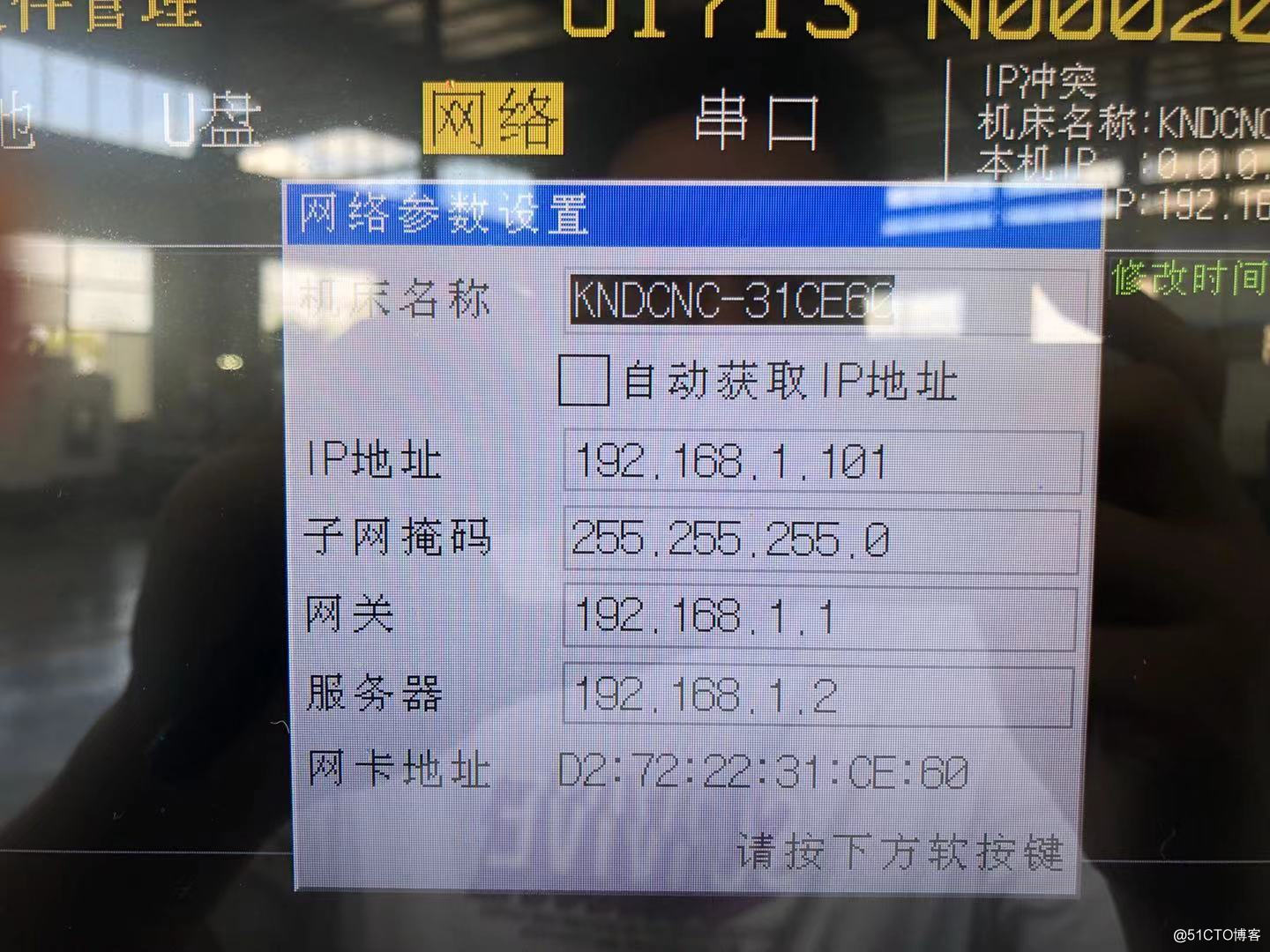
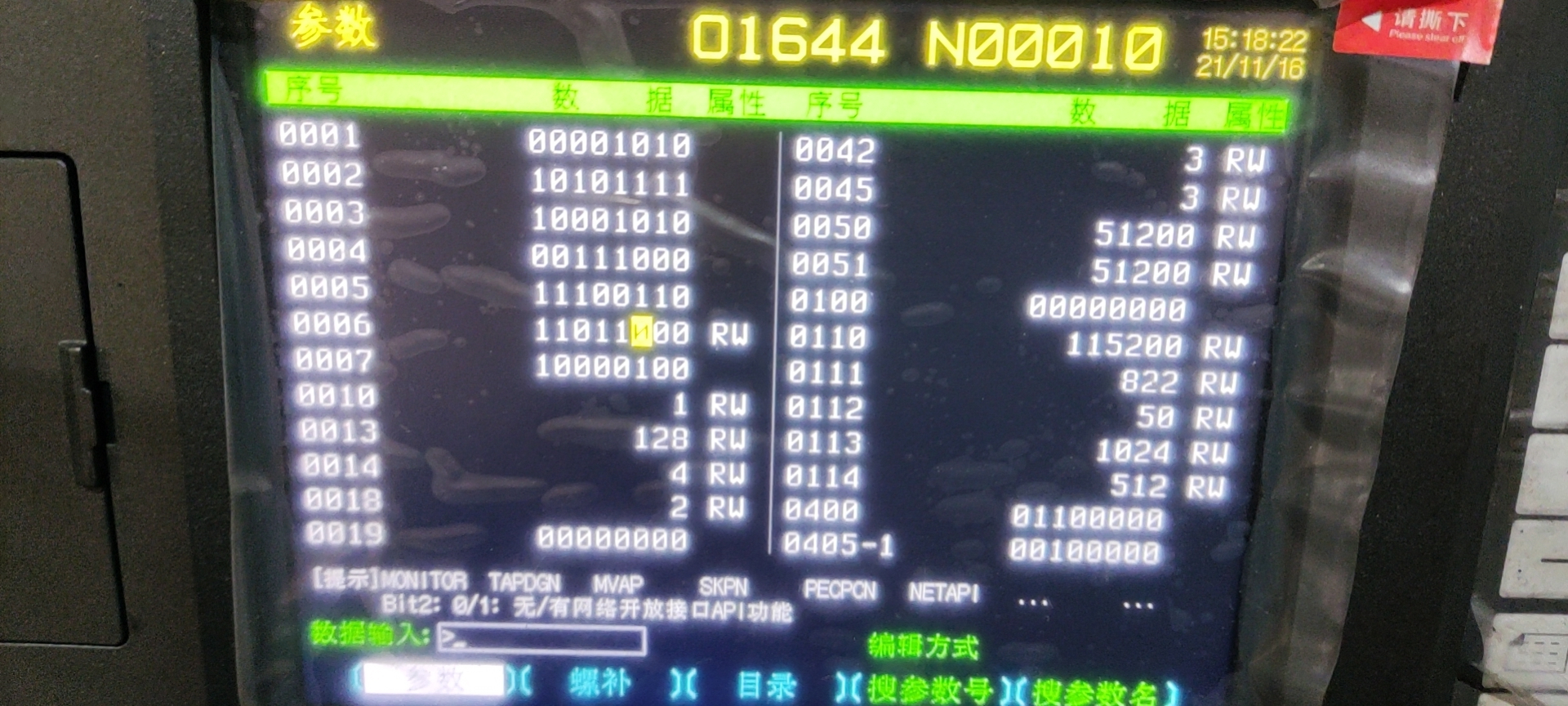
- Find parameter 0006 and change the third digit to 1.