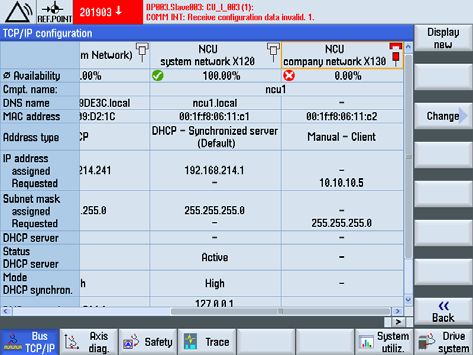

Setting the IP Address on a Siemens CNC
1. Open the system extension screen, select Extension, then TCP/IP Bus (BUS TCP/IP)
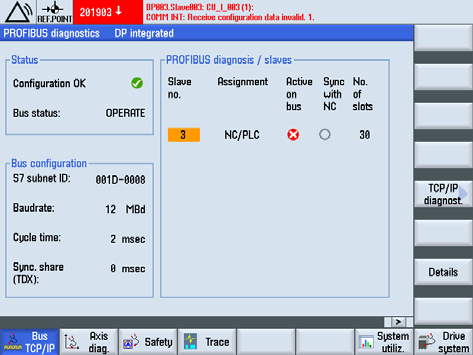
2. Select TCP/IP Diagnostics (TCP/IP diagnost)
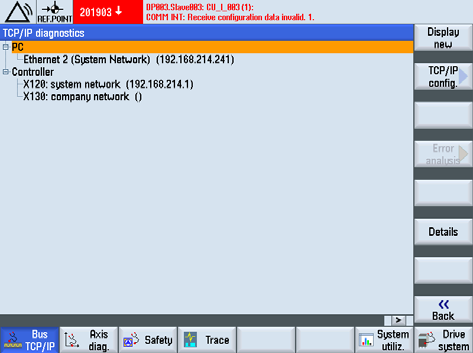
3. Select TCP/IP Configuration (TCP/IP config)
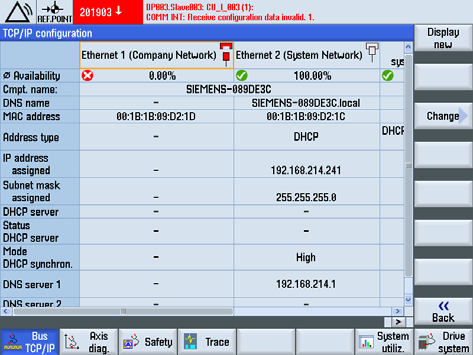
4. Find the X130 network port
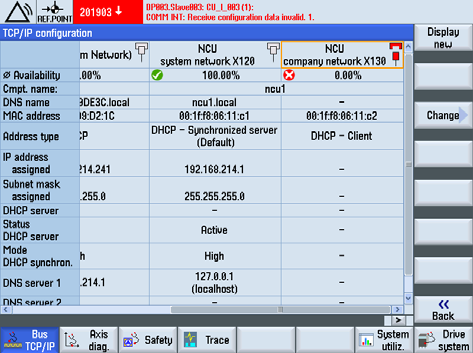
5. Change DHCP to Manual
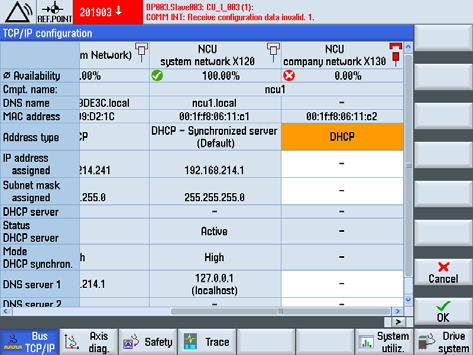
6. Change the IP address