

GSK has many machine models, and the procedures may differ. The main methods are as follows.
980MDi
1. First, confirm that the machine has a network port
2. The 980MDi must be upgraded to v3.33link or later
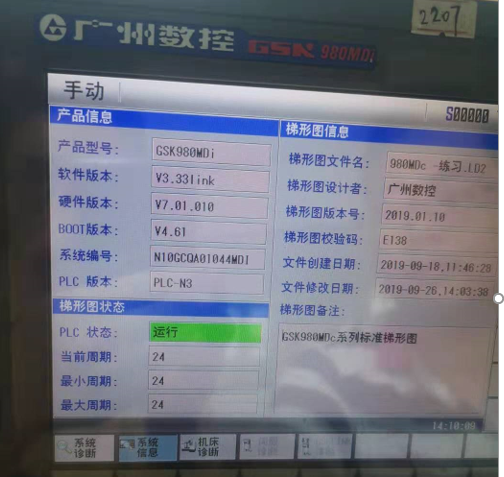
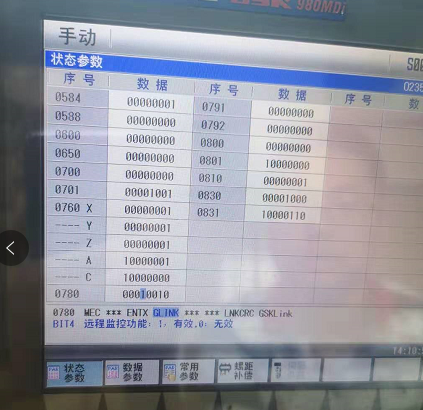
3. Open Status Parameters
4. Set status parameter 0701 to enable modbus communication
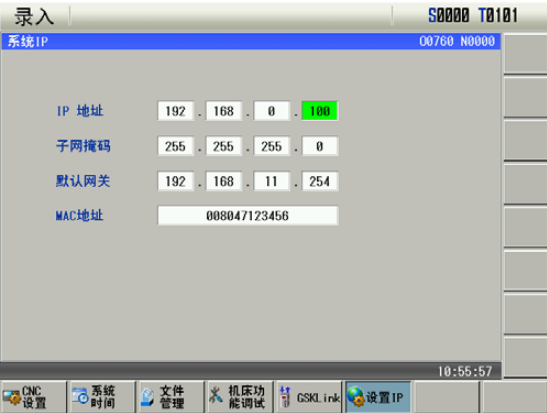
5. Press Settings  , then
  to open IP configuration
980TDI
1. Press Settings among the function keys on the right of the screen, then IP Settings to open the following screen
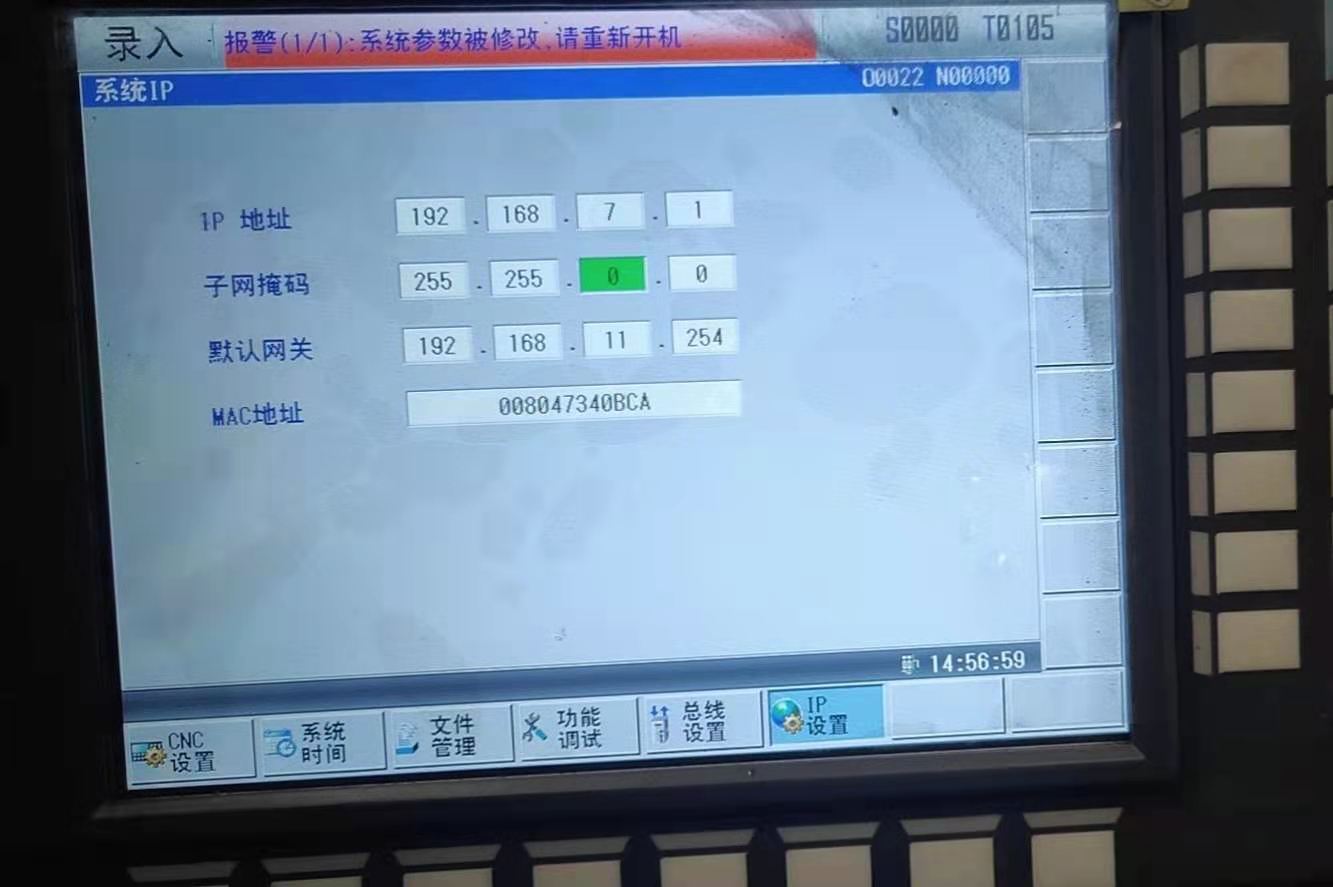
- Set the gateway NET1 port IP and the machine IP on the same network; ensure network connectivity. You can leave the machine IP unchanged and set the gateway NET1 port IP instead.
2. Press Parameters among the function keys on the right, then Status Parameters, then Next Page to view the following screen
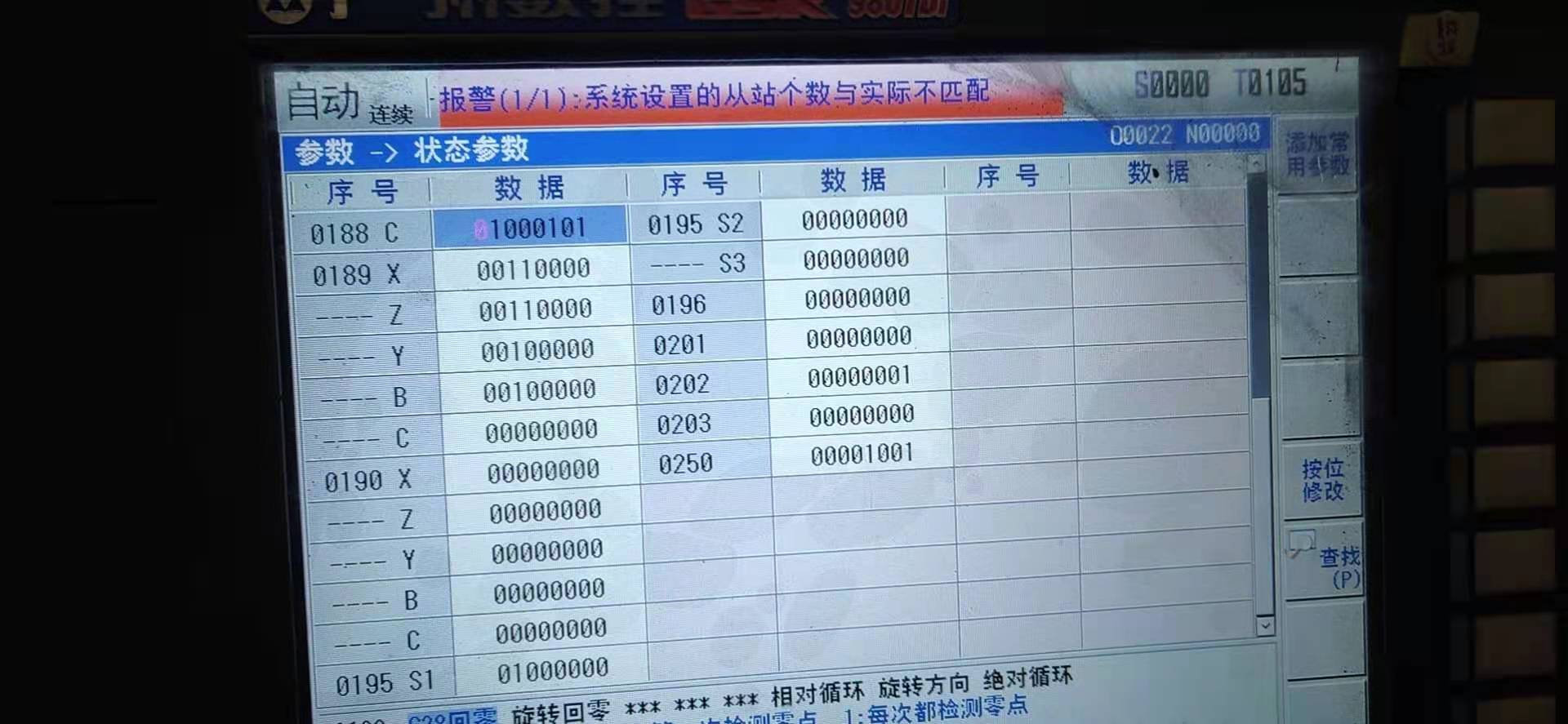
- Set parameter 0250 to 00001001.
- To change it: MID key in the function-key area below the screen -> Edit by Bit -> enter password 797808.
- Restart the machine after the change.
988TA
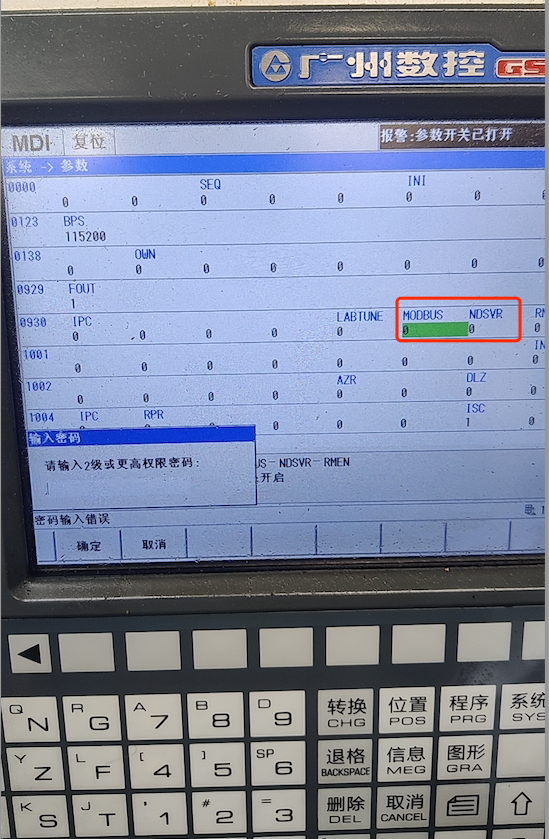
Set both of these 930 parameters to 1, then power off the main supply and restart. Ask the machine administrator for the password; only they know it, or test for a weak password.
http://www.gsk.com.cn/uploadfiles/2022/08/英文-GSK988TA安装调试手册2022年8月第3版-已压缩.pdf
980TB3i/980TC3-d
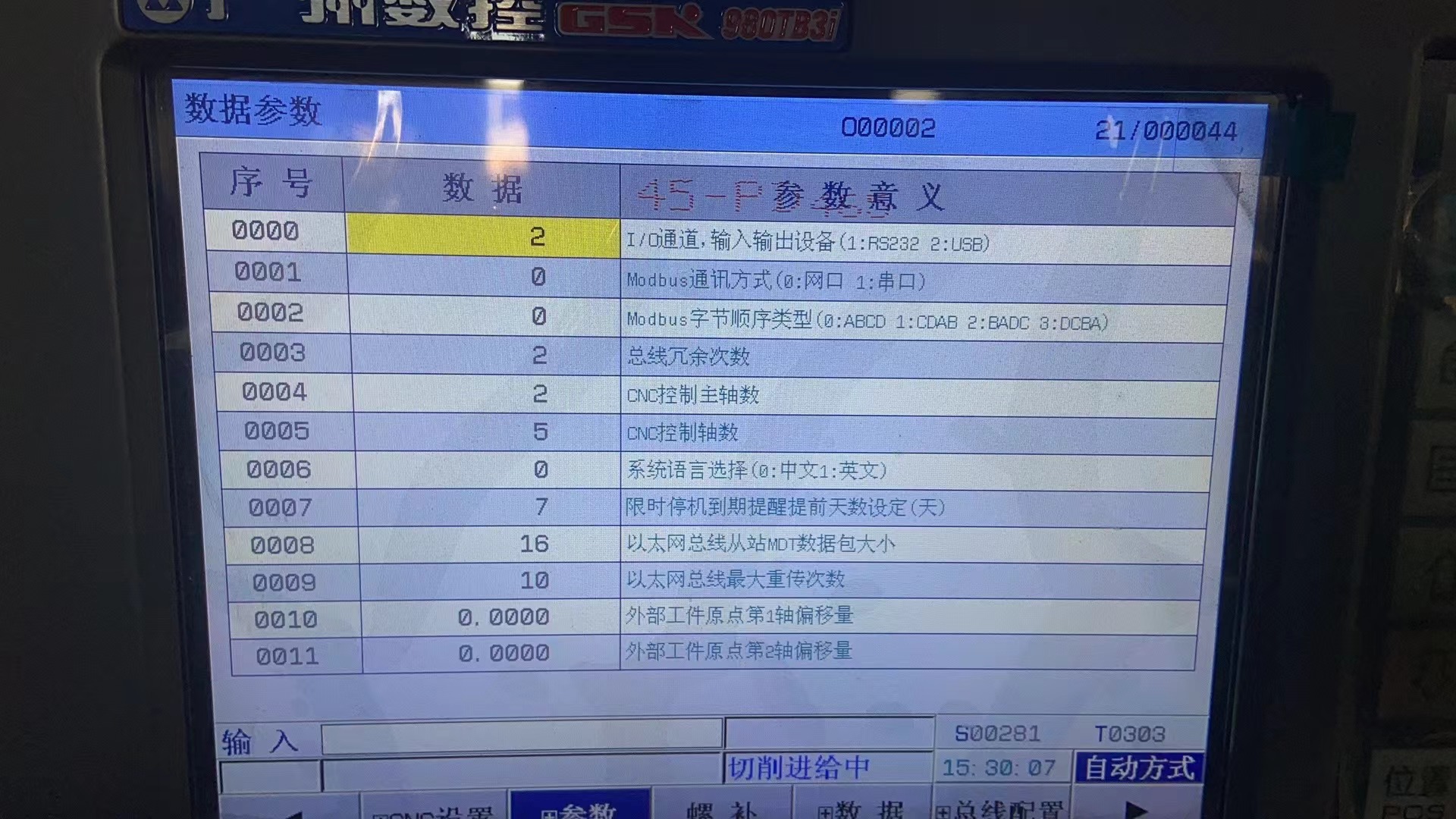
This also applies to some 988-series models. Port 6000.